


Zilkee™ PC to PC USB Dual Link Transfer`
🛡️ The Lifetime Guarantee: Your Files Back, or Your Money Back.
 Lifetime GuaranteeFiles back or money back
 Secure PaymentMultiple payment options
 Free ShippingTracked & insured

⭐⭐⭐⭐⭐
“This is the most convenient way to transfer files from PC to PC, don't bother uploading this is way faster!”
Frank C - Verified Customer
TRANSFER FILES EASILY BETWEEN TWO STAND-ALONE PC!
The Zilkee™ PC to PC USB Dual Link Transfer is the perfect choice for migrating your files when upgrading to a new computer. It efficiently synchronizes files between two computers faster and more conveniently than uploading and downloading multimedia data through portable hard drives or cloud-based solutions.
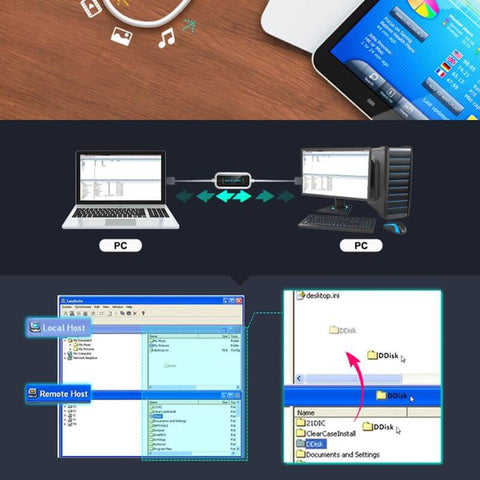
The operation is simple, connect the cable to a USB port of each computer and drag the files to copy from one computer to another (host-to-host or peer-to-peer).
HIGH-SPEED: With a USB 2.0 chip, the actual test speed is about 480Mbps which is faster than other data transfer cables.

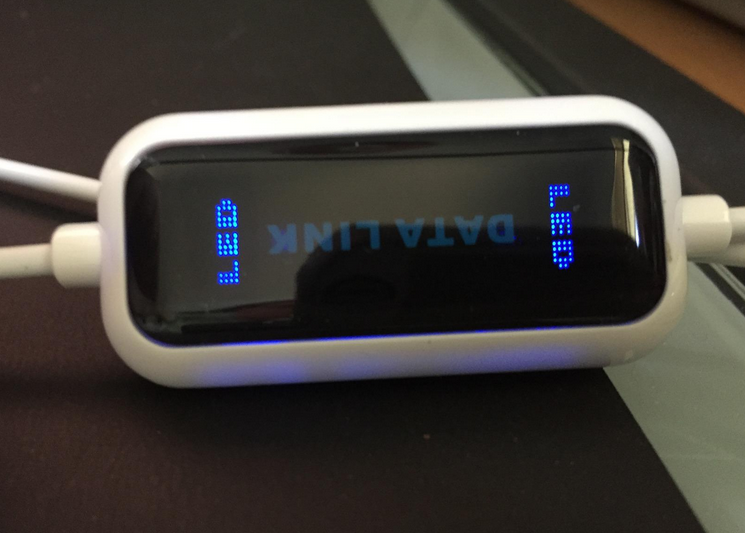
PLUG AND PLAY: Has a built-in flash program, and has easy two-way transmission. Once both computers have been connected to the Dual-Link Transfer, both led indicators will blink. There is no requirement for additional software or drives.
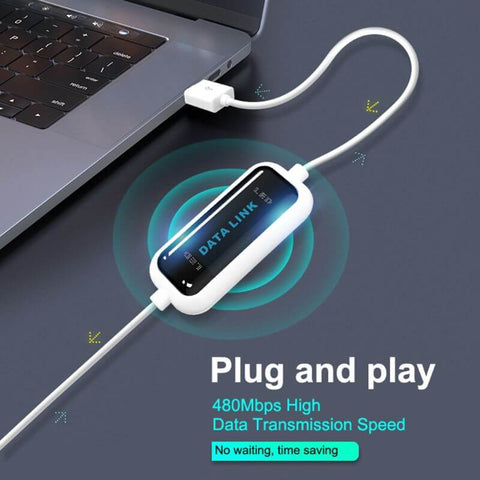
EASY TO USE: The operation is simple, connect the cable to a USB port of each computer and drag the files to copy from one computer to another (host-to-host or peer-to-peer). Transfer your entire user account or all user accounts from one computer to another with just a few clicks, or you can make custom selections of the data and folders you wish to transfer.
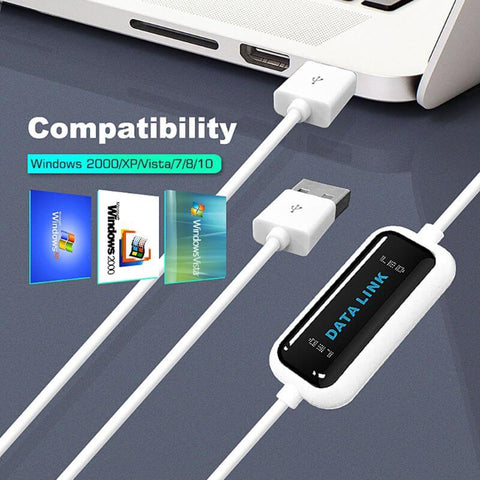
COMPATIBILITY: Winddows11, Windows10, Windows8, Windows7, XP, Vista, Windows ME, Windows 2000. (Only for Windows OS). Tested on Windows 11 and worked perfectly.
HOW TO CONNECT THE PC TO PC USB DATA LINK TRANSFER:
1) Connect both USB male ports of the Dual Link Transfer to each computer. Please use the USB port on the back of your computer if you have a desktop computer.
2) The Dual Link Transfer will be detected automatically by both computers. Once both computers have been connected to the Dual-Link Transfer, both led indicators will blink.
3) After connecting both computers together, the Dual Link Transfer drive will be shown as "Easy Copy" in your Devices and Drives. Just where a USB flash drive should be.
4) After locating "Easy Copy" in your devices and drives, open the drive on both computers by double-clicking the icon.
5) After opening both "Easy Copy" drives, you will see one screen sharing all the files from both computers.
6) Here is when you start to transfer files between both computers by just copying and pasting.
Our Partner Shipping Companies

Frequently Asked Questions:
Do you ship worldwide?
Yes, we ship anywhere in the world with DHL and USPS tracked and insured shipments.
What payment methods do you accept?
We accept PayPal and all credit cards and debit cards.
How much does shipping cost?
Free Shipping for a Limited Time
How long does shipping take?
Please allow 2-3 days to process the order. Due to global events, shipping may take up to 10-15 days depending on your local postage. Although we do expect this to reach you sooner.
Buy with confidence:
Your private information is never shared, and payment is 100% safe and secure. We process payments using the Verified PayPal gateway. This means you're protected with PayPal's Buyer Protection Policy, which ensures you get what you pay for. If something goes wrong with your transaction, PayPal Buyer Protection has you covered.
When you buy through our online website your details are 100% encrypted and secure:
- 100% encrypted SSL secure checkout
- 24/7 support via our customer service email support@zilkee.com.au
- Tracking numbers sent with every order

How Zilkee Recovers Your Files
- Restores files you've accidentally deleted
- Repairs corrupted and damaged files
- Pulls data off drives that won't boot, won't mount, or ask to be formatted
- No technical knowledge needed — just connect the drive and follow the prompts on your screen
- Private and secure. Your files never leave your computer. Only you can see them.

CUSTOMER REVIEWS
Hear Stories From Real Customers!
Tim McCann
Zilkee Customer
Roberto Esposito
Zilkee Customer
Rick Reeves
Zilkee Customer
John Tardiff
Zilkee Customer
Customer Reviews
Still have questions? Get your answers below:
- Connects two Windows computers with one USB cable so you can copy files directly between them.
- Ideal for moving to a new computer — photos, videos, music, documents, folders, and email files.
- No internet, no cloud accounts, and no external drives needed.
- The transfer program is built into the cable — nothing to install.
- Works both ways: copy from either computer to the other.
Setup takes about a minute.
Step 1: Plug one end of the cable into a USB port on each computer. On a desktop computer, use a USB port on the back.
Step 2: Both computers detect the cable on their own. A light on each end blinks when they connect.
Step 3: A drive called "Easy Copy" appears in Devices and Drives on both computers — right where a USB stick would show up.
Step 4: Open "Easy Copy" on both computers by double-clicking it.
Step 5: One window opens showing the files from both computers side by side.
Step 6: Copy and paste, or drag and drop, the files you want to move. That's it.
It copies files and folders — documents, photos, music, videos, email files, and program data files. Programs themselves usually need to be reinstalled on the new computer, because Windows installs them differently on each machine. Your files and data move over; the programs you reinstall fresh.
No. The PC to PC USB Dual Link is for Windows computers only. It works with Windows 11, 10, 8, 7, Vista, XP, ME, and 2000. Both computers must be running Windows.
Yes — that's exactly what it's made for. It supports Windows versions all the way back to Windows 2000, so you can move files off a very old machine onto a brand-new Windows 11 computer. As long as the old computer turns on and has a working USB port, you're set.
No. Both computers must power on and reach Windows for the cable to work. If your old computer is dead and you need the files off its hard drive, that's a job for the Zilkee Lost File Recovery Pro — it connects the drive itself to a working computer. Contact support if you're not sure which one you need.
Yes. Your files travel through the cable, directly from one computer to the other. Nothing is uploaded to the internet, to us, or to any cloud service. Your data stays yours, on your computers.
- 48 Hours MAX Processing time
- USA Standard Shipping in 5 - 7 Days
- USA Express Shipping in 2 - 5 Days
- International Standard Shipping in 8 - 15 Days
Yes. We pride ourselves on world-class customer support to help walk you through the process or troubleshoot issues. This includes live tech support via phone or email.
Yes. Every Zilkee purchase is backed by The Lifetime Guarantee: your files moved, or your money back. If the cable doesn't work for you, reach out to customer support and we'll troubleshoot with you. If we still can't get it working, we'll refund you.
Your package contains one Zilkee PC to PC USB Dual Link Transfer cable. The transfer program is built into the cable itself — there is nothing else to download or install.
Free tracked and insured shipping.
Move everything to your new PC in minutes!

Move Files Straight From PC to PC
One cable connects your old Windows computer to your new one. Your files copy straight across — no cloud accounts, no uploading, no stack of USB sticks.

High-Speed USB Transfer
Moves photos, videos, music, documents, and email files at USB 2.0 high speed (up to 480 Mbps). One pass — much faster than copying to a drive and back again.

Plug and Play — Nothing to Install
The transfer program is built into the cable. Plug both ends in and it opens on its own. No software downloads, no drivers, no setup.

Simple Drag and Drop
Both computers appear in one window, side by side. Pick the files or folders you want and drag them over. Copy everything or just what you choose.

Works With Every Windows Version
Windows 11, 10, 8, 7, Vista, XP, ME, and 2000. Perfect for moving off a very old computer onto a brand-new one. Windows only — not for Mac.